
I was planning a backup setup and dug an old SanDisk Extreme Portable SSD out of a drawer. Plugged it in, nothing.
Well, not nothing. dmesg saw a USB device. sg_inq got a polite response from
the bridge chip, but the kernel logged “Media removed, stopped polling” and the
block device reported zero bytes. The USB-to-NVMe bridge chip was alive and as
chatty. The SSD behind it was gone.
The SanDisk Extreme has a reputation by now. You probably know it if you follow hardware news. I didn’t just want to read about the failure though, I wanted to see it.
The symptom
$ sudo sg_inq /dev/sdd
Vendor identification: SanDisk
Product identification: Extreme 55AE
Product revision level: 3000

$ sudo sg_readcap /dev/sdd
READ CAPACITY (10) failed: Device not ready

$ cat /sys/block/sdd/size
0
The ASMedia ASM2362 USB bridge chip enumerates fine. It responds to INQUIRY, it returns VPD pages, it even passes a self-test with GOOD status. But the SanDisk SN550E NVMe SSD connected to it on the other side of the board isn’t answering. The kernel treats the whole thing like a card reader with no card in it.
If this were just another dead drive I’d shrug and toss it but I had heard about the SanDisk Extreme class action so I went looking.
The SanDisk firmware checker is a lie
SanDisk built
a firmware update page
where you enter your serial number and it tells you whether your drive is
“impacted.” I entered mine: 2039K7404635.
Your product has not been impacted. Your device is up-to-date, no firmware update is needed at this time.
My drive was a brick, “not impacted” my ass.
I’m not the first person to see this. Reddit threads from 2023 and 2024 are full of people whose dead drives were flagged as “not impacted” by SanDisk’s checker. The tool only acknowledges a narrow batch range. Failures extend far beyond it. The serial checker is a liability-management tool, not a diagnostic one.
What actually fails
Attingo Data Recovery in Vienna published a hardware analysis in November 2023. Two manufacturing defects, both physical:
- Oversized components. The surface-mount parts on the internal PCB are physically larger than the pad layout was designed for. This creates weak mechanical contact and high impedance at the junction points during transfers.
- Solder joint voids. The solder contains internal bubbles. Attingo attributed this to either low-quality solder or excessive humidity in the factory. Thermal cycling during normal use (drive heats up during transfers, cools when idle) expands and contracts these weakened joints until they crack.
Same result either way. The solder joints crack, the bridge still powers up and talks USB, the SSD behind it loses electrical contact entirely. Kernel sees “Media removed.”
SanDisk added epoxy to reinforce the joints on later production runs. Those units continued to fail. The firmware patch they released in May 2023 only addresses USB disconnect handling in the SSD controller. It doesn’t do anything about cracked solder. SanDisk’s own documentation warns that running the update on an unstable drive “could corrupt the firmware, potentially making the SSD unusable and causing total data loss.”
Rossmann Repair Group documents the full failure chain, including which models are affected and why chip-off recovery doesn’t work (always-on AES-256 encryption fused to the SanDisk 20-82-10023 controller). Their recovery method: open the enclosure, bypass the bridge, image the SanDisk SN550E NVMe directly.
So I opened it
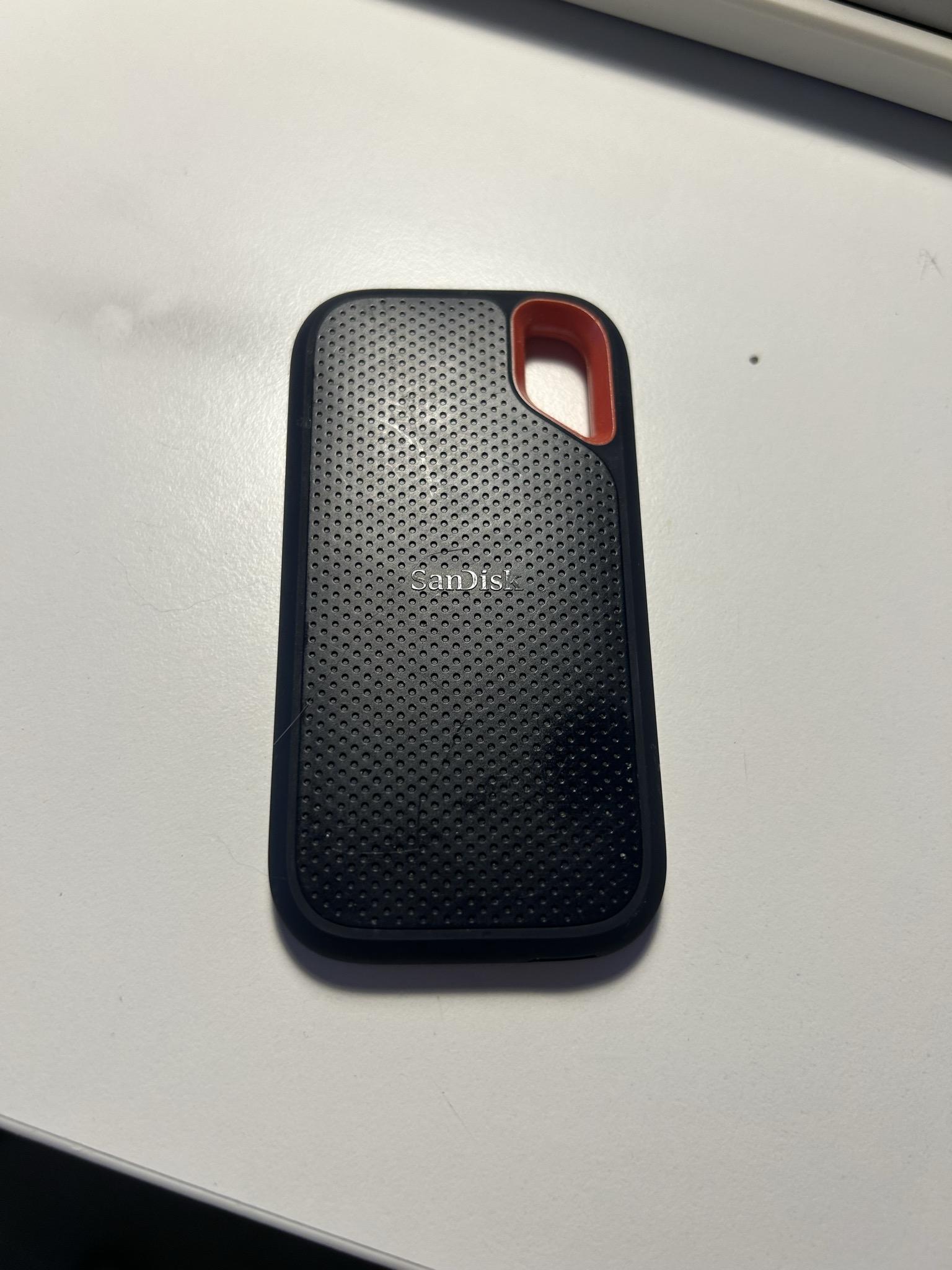
The patient, pre-autopsy.
The SanDisk Extreme enclosure is snap-fit plastic with no screws. A knife along the seam and some modest force pops the front cap off. Inside, the internal assembly is held together with thermal pads and some adhesive.
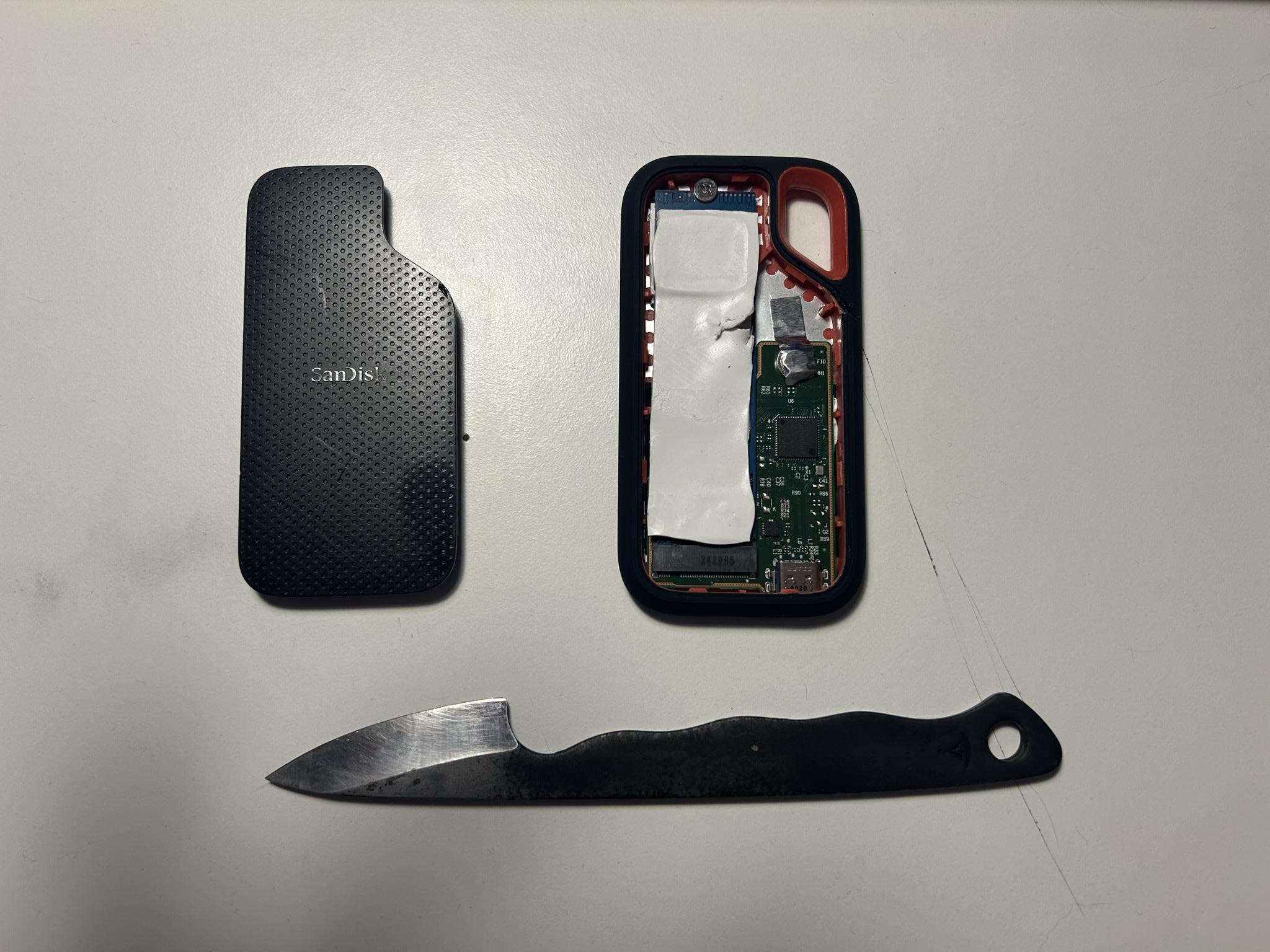
Front cap removed. Knife, cap, and the controller + M.2 assembly with thermal paste still in place.
Under the white thermal paste, the SanDisk 20-82-10023 controller sits next to the SanDisk SN550E M.2 2230 NVMe SSD. The ASMedia ASM2362 bridge is on the other side of this PCB, the part that usually fails.
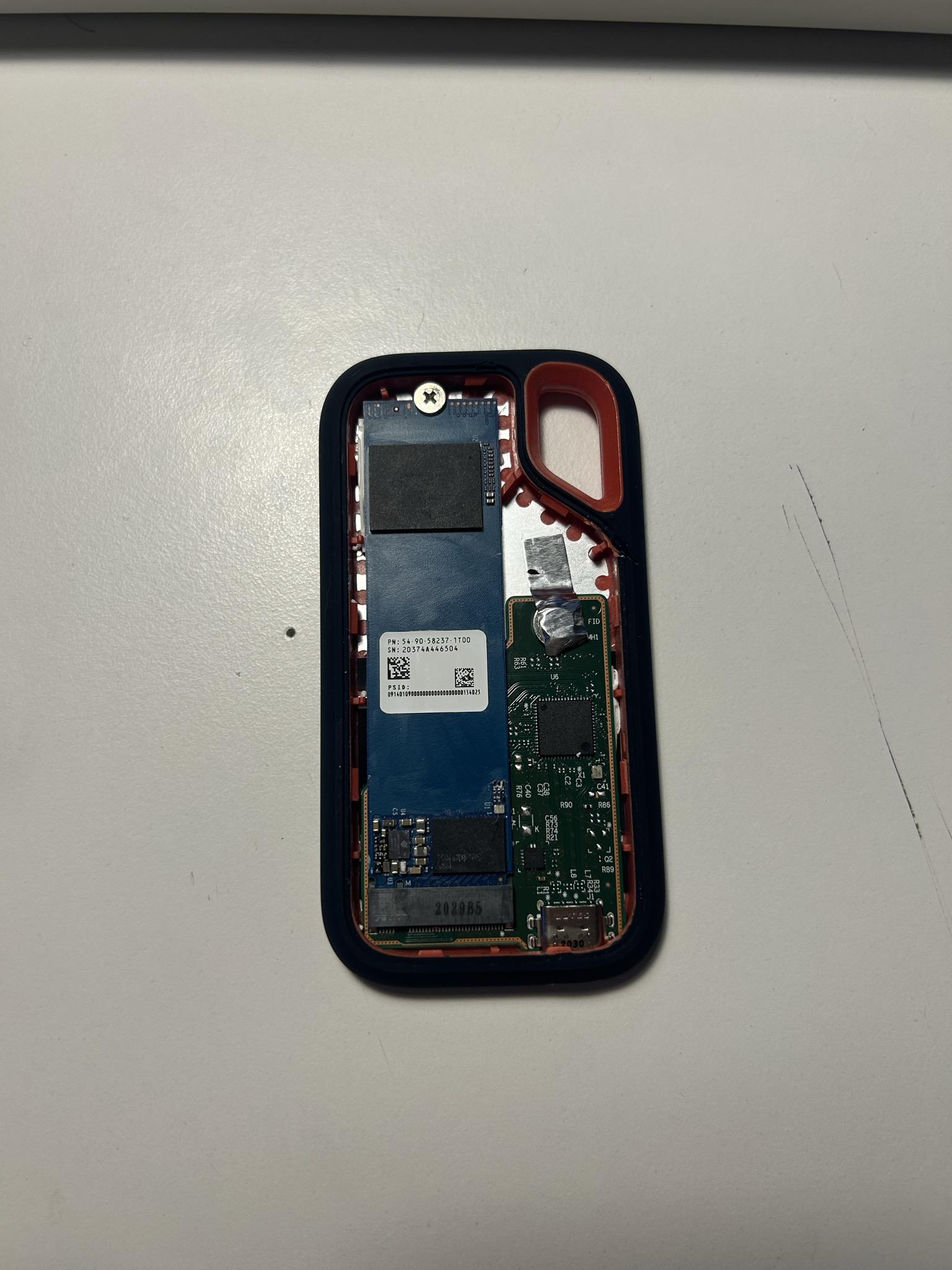
Thermal paste cleaned off. Controller on the left, M.2 SSD on the right.
Separating the assembly from the enclosure backplate reveals more thermal paste. The board is glued in place, and extracting it cleanly is annoying. I was not gentle.
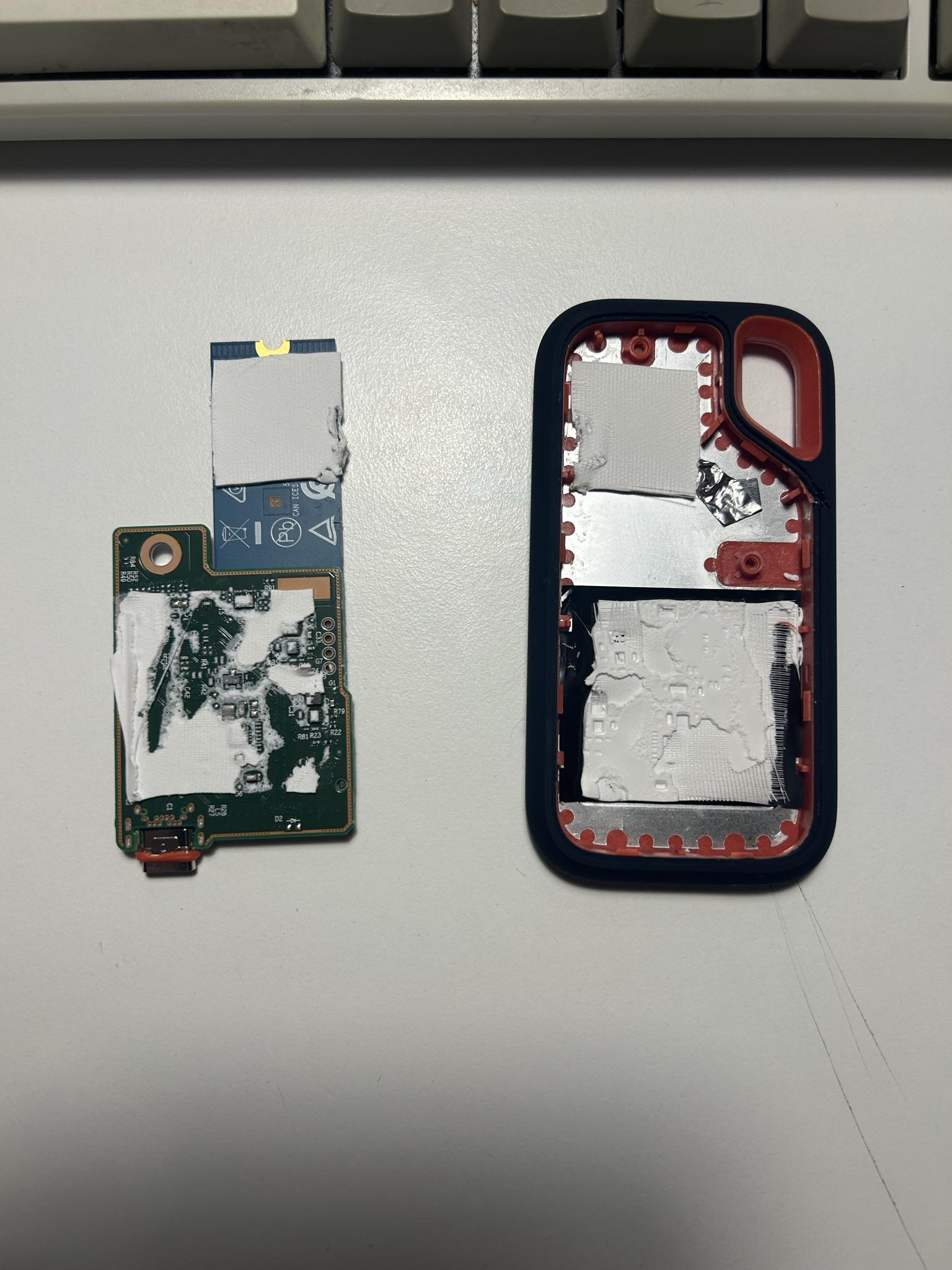
The board and enclosure peeled apart. More thermal paste. Why does this thing have so much thermal paste.
The M.2 SSD is attached to the bridge PCB with a connector and some glue. Getting it free without cracking something takes patience. I ran out of patience. The glue left residue on the controller side. The SSD came away slightly bent.
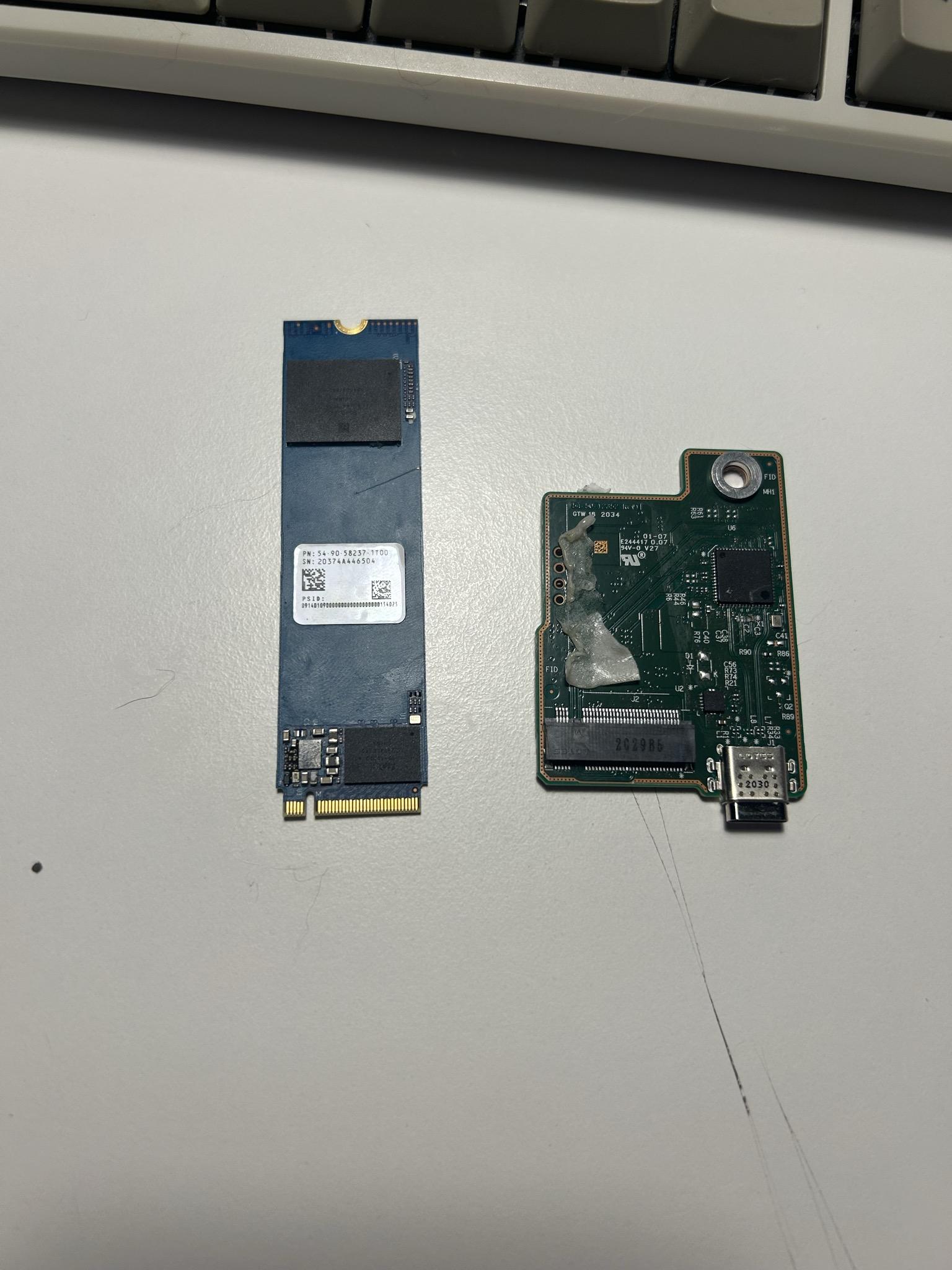
M.2 finally separated from the bridge board. That glue residue on the controller side is where SanDisk decided adhesive was the fix.
The NVMe SSD is also dead
This was the theory I wanted to test: if only the bridge solder joints are cracked, then connecting the internal SanDisk SN550E directly to a known-good NVMe adapter should bring it back to life. I dropped it into a Realtek RTL9210 USB enclosure and plugged it in.
The bridge chip in the adapter detected fine. The SSD did not:
$ lsusb
Bus 002 Device 005: ID 0bda:9210 Realtek Semiconductor Corp.
           RTL9210 M.2 NVME Adapter

$ sudo sg_readcap /dev/sdc
READ CAPACITY (16) failed: Illegal request, Invalid opcode

$ cat /sys/block/sdc/size
0
Same result on USB 2.0 and USB 3.0. Same result after SCSI resets,
sg_start --start, and plugging it into different ports. The SSD controller
isn’t initializing at all. This isn’t a bridge problem anymore. The SanDisk
20-82-10023 controller on the drive itself is either in firmware panic or has a
dead PMIC. The FTL mapping corruption Rossmann describes, where the DRAM-less
controller loses its logical-to-physical mapping and can’t rebuild it, is the
most likely explanation.

M.2 SSD in a USB adapter. Detected. Zero bytes. Slightly bent from the extraction.
The warranty runaround
I actually tried to RMA this drive once before, back when I was living in Turkey. Opened a case and everything (RX2389403, still in their system). But I was in the middle of moving to the Netherlands and it fell through the cracks. Figured I’d pick it up later. Later is now, and the drive is still dead.
The SDSSDE61 carries a 5-year warranty and I’m within the window. Great. Let’s file a claim.
One complication: Western Digital spun SanDisk back out into its own company in February 2025. The SSDs are SanDisk’s problem again, but the support infrastructure never got the memo.
The SanDisk RMA portal is a JavaScript
disaster. Disabled dropdowns, dead links, 404s on the warranty replacement page.
The support forms on support-en.sandisk.com have broken field logic that
prevents you from selecting a country or category. I spent an hour trying every
variant. Nothing works.
Fine, I’ll email support@sandisk.com. No response. The email address that
Quora users swear by is apparently not monitored by anyone whose job it is to
reply.
Fine, I’ll use the live chat. The chat widget on sandisk.com/support exists.
It’s real. It is also only staffed during American business hours. I am in the
Netherlands. You can see where this is going.
This is, somehow, the support experience for a product with an active class action against it. In re: SanDisk SSDs Litigation (Case 3:23-cv-04152, Northern District of California) had its motion to dismiss partially denied in June 2024. The fraud-by-omission claim survived. Discovery is active. No settlement yet. SanDisk is simultaneously arguing in court that the firmware update fixed everything while operating a support infrastructure that appears designed to prevent warranty claims from being filed.
Takeaways
The SanDisk Extreme Portable SSD V2 has a hardware defect that SanDisk has known about since at least 2023. They released a firmware patch that doesn’t fix it, a firmware checker that lies about which units are impacted, and an RMA portal that doesn’t work. The epoxy they added to later production runs also failed.
If you own one of these and it still works, back it up now. Don’t wait for symptoms. There are no symptoms. These drives go from working to brick with zero warning. No SMART errors, no slow degradation, no clicks. And once mine bricked the USB bridge passed no SMART data through at all, so there was nothing left to read.
If yours is already dead, the 5-year warranty covers it. Your best shot is the
live chat on sandisk.com/support, during US Pacific business hours. Have your
serial number ready and don’t over-explain. “Drive not detected. Serial X.
Current address Y.” The email address support@sandisk.com exists but don’t
hold your breath.
Or just buy a Samsung T7 for €80 and pretend SanDisk never happened. That’s what I’m doing.